
3-Column Chat Workspace & Grounding
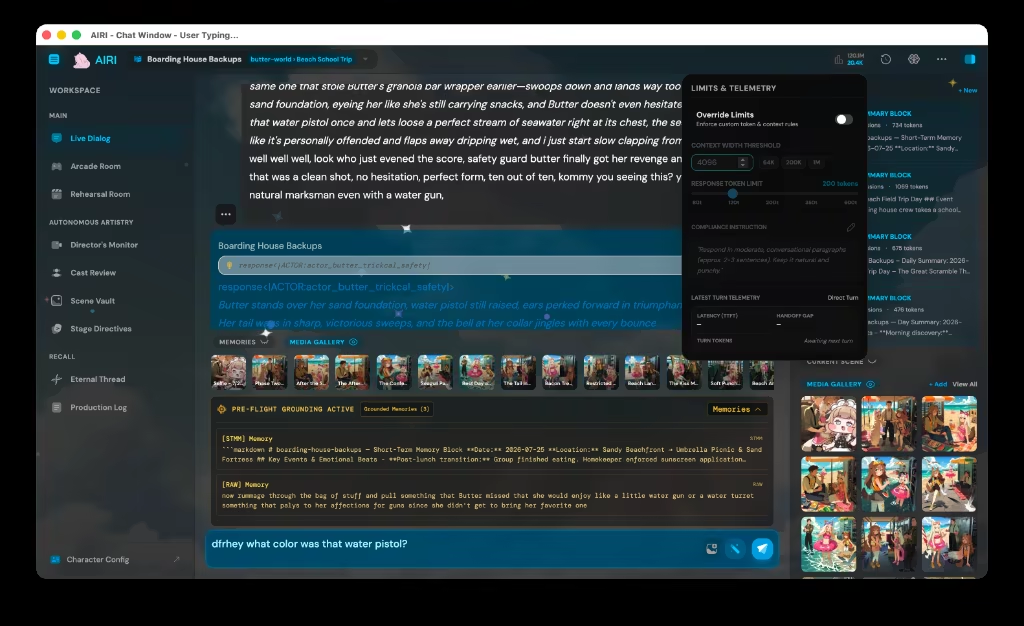
The Chat Workspace is a high-performance conversational environment designed for power users and creators. Expanding far beyond a simple bubble list, it features a 3-column layout, real-time pre-flight memory and context grounding inspection, spoken sentence highlights, arcade gaming backseat modes, an immutable event ledger, and minimal single-column focus states.
3-Column Studio Workspace
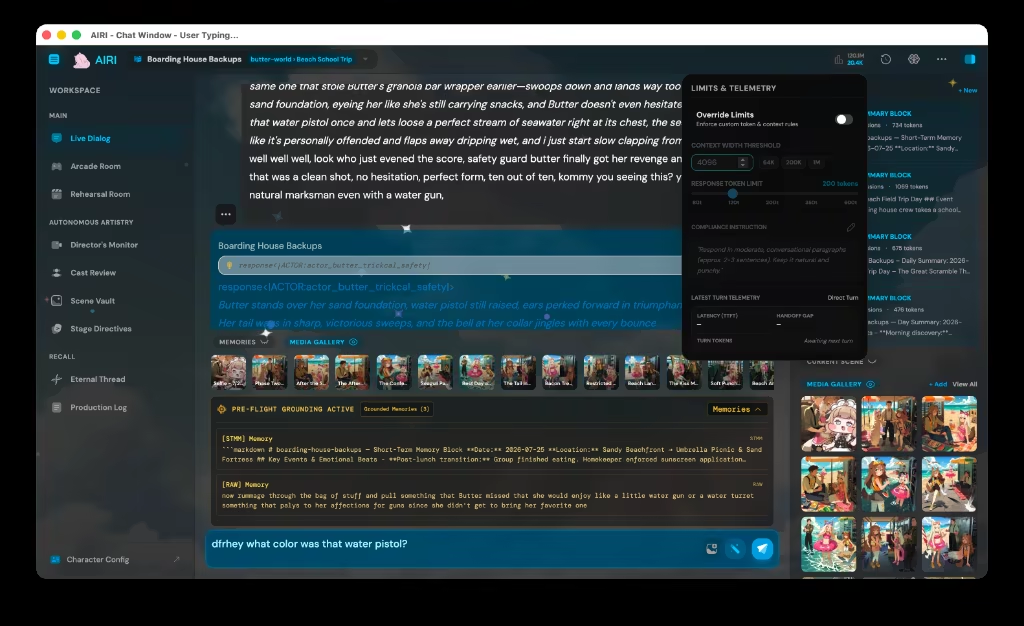
The interface is structured into three dedicated functional zones:
- Left Column (Navigation & Sessions): Instant character switching, branching timeline trees, and session forks.
- Center Column (Interactive Transcript): Markdown messages, thinking accordions, emotional actor badges (
[ 🗣 Aqua ]), spoken audio waveforms, and inline tool results. - Right Column (Context Grounding & Memory): Live inspection of system prompt injections, active memories (STMM/LTMM), MCP tools, and sensory telemetry.
Context Injections & Memory Grounding
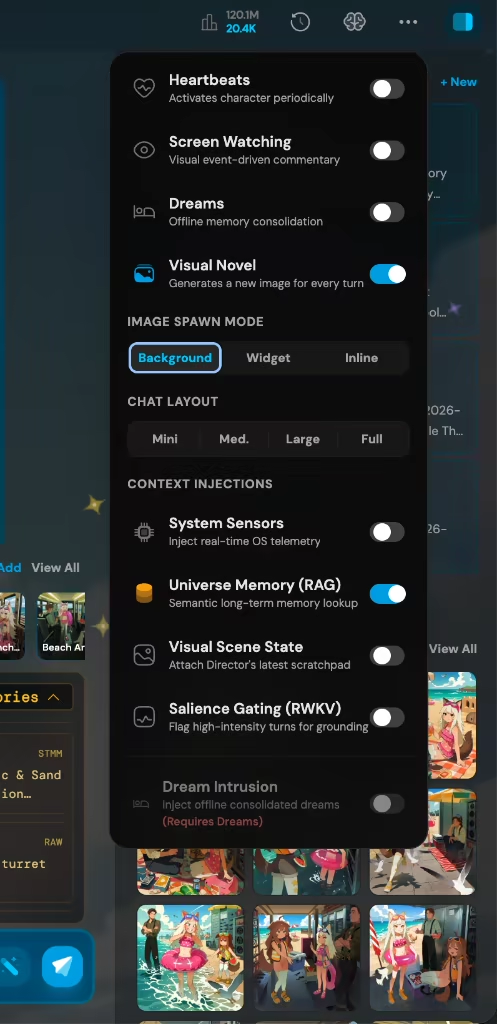
Memory Context Popover & Rolling Cache
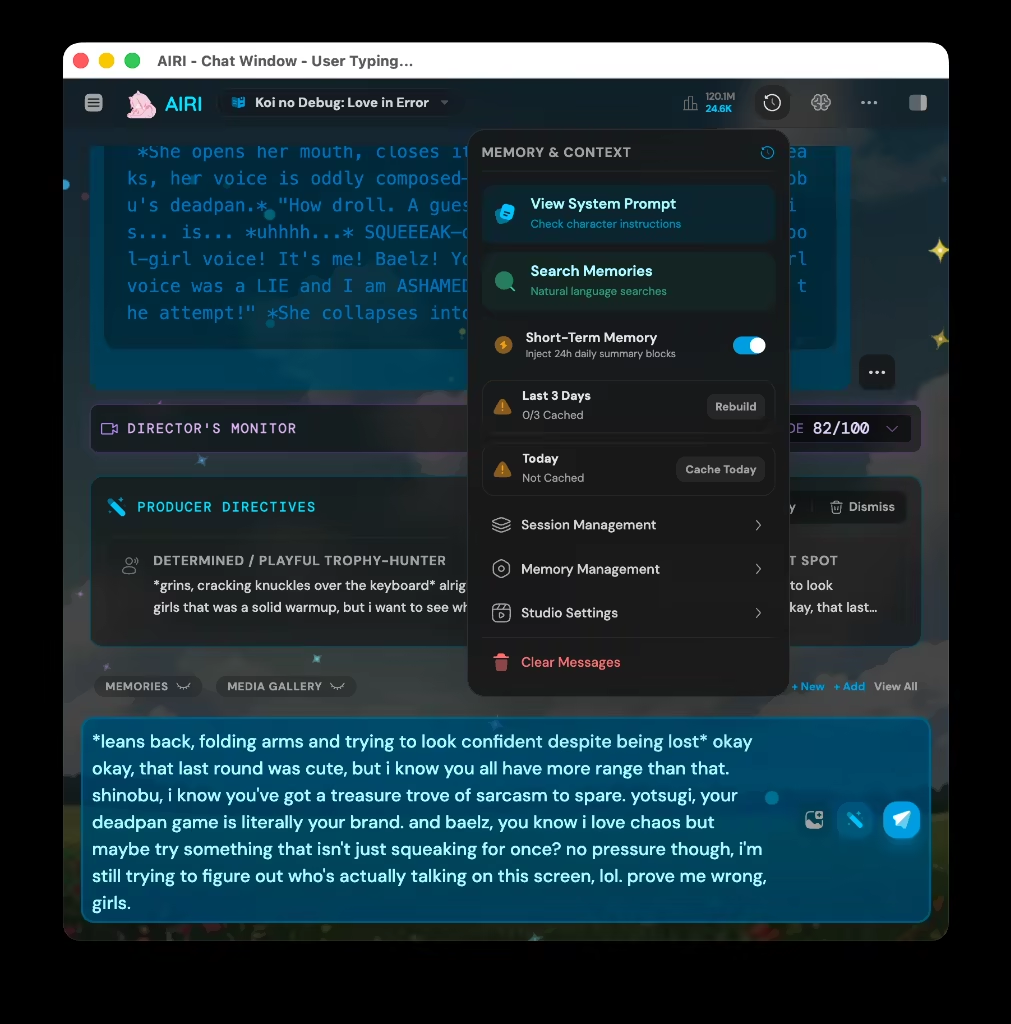
- Memory Context Popover: Inspect exactly which Short-Term Memories, Long-Term Journal entries, and Echo Chips were injected into the active LLM context window.
- Dynamic Context Toggles: Instantly toggle whether active window titles, clipboard contents, or recent sensory events are included in the prompt.
Interactive Modes & Tools
Arcade Gaming & Stream Backseat Mode
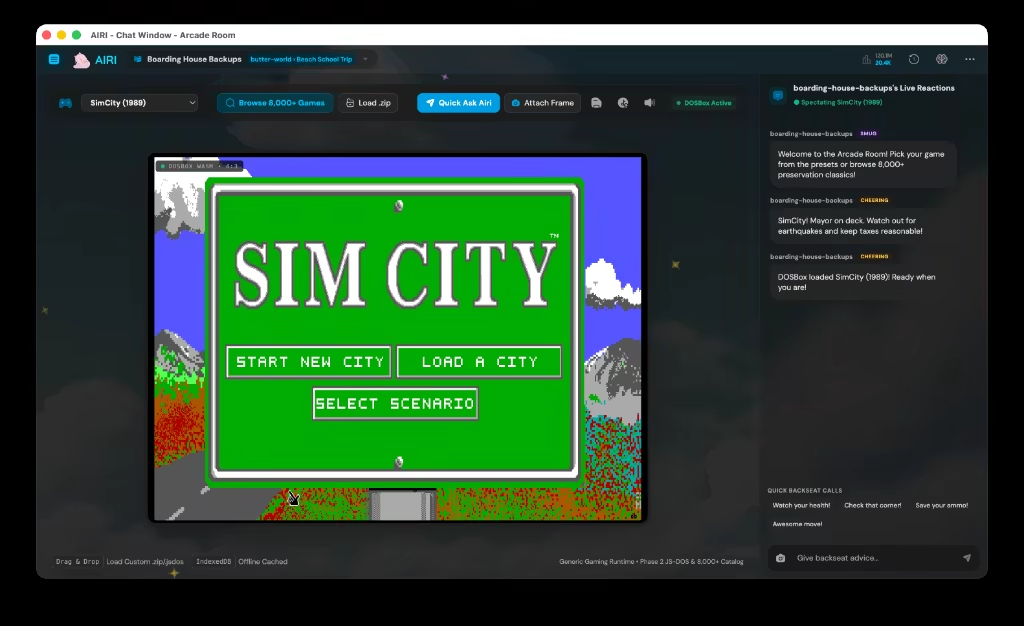
- Gaming Backseat Mode: Tailors the chatbox for stream commentary and gaming sessions, enabling rapid voice-activated interjections and concise status reports.
- Minimal Single-Column View: Collapse side panels for a focused, distraction-free writing experience.
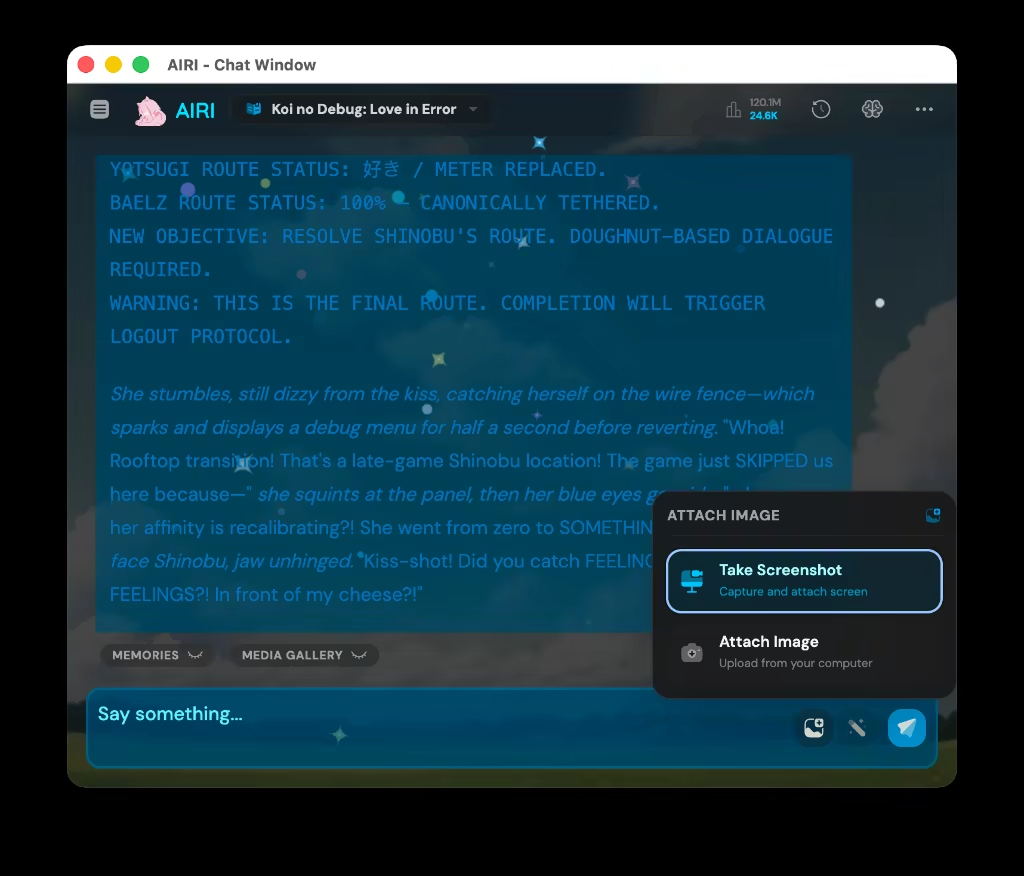
Event Ledger & Daily Recap
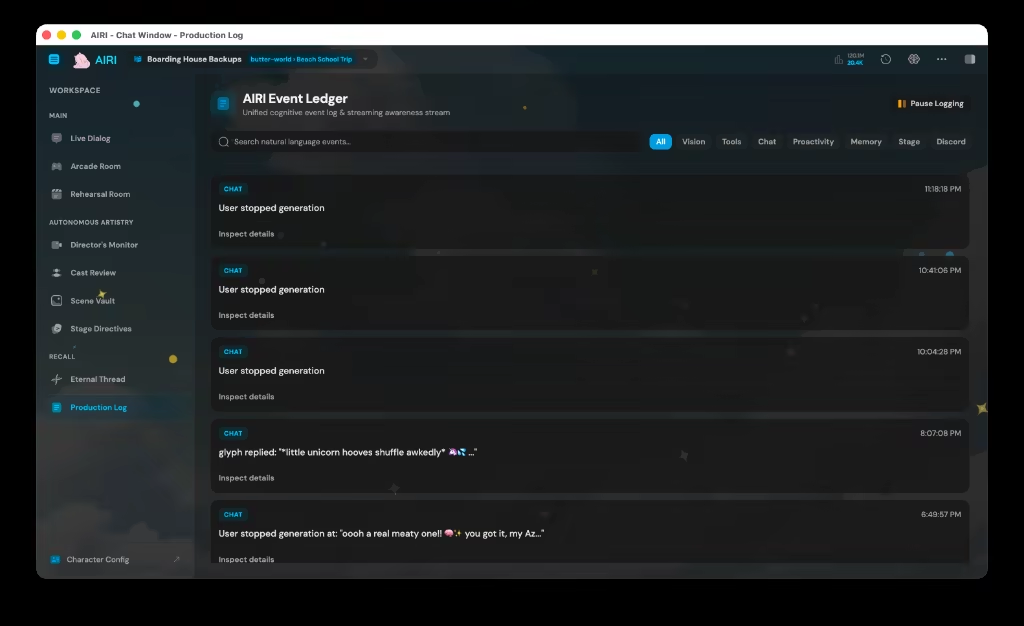
- Event Ledger: An append-only activity log tracing system events, background proactivity heartbeats, tool calls, and model switches.
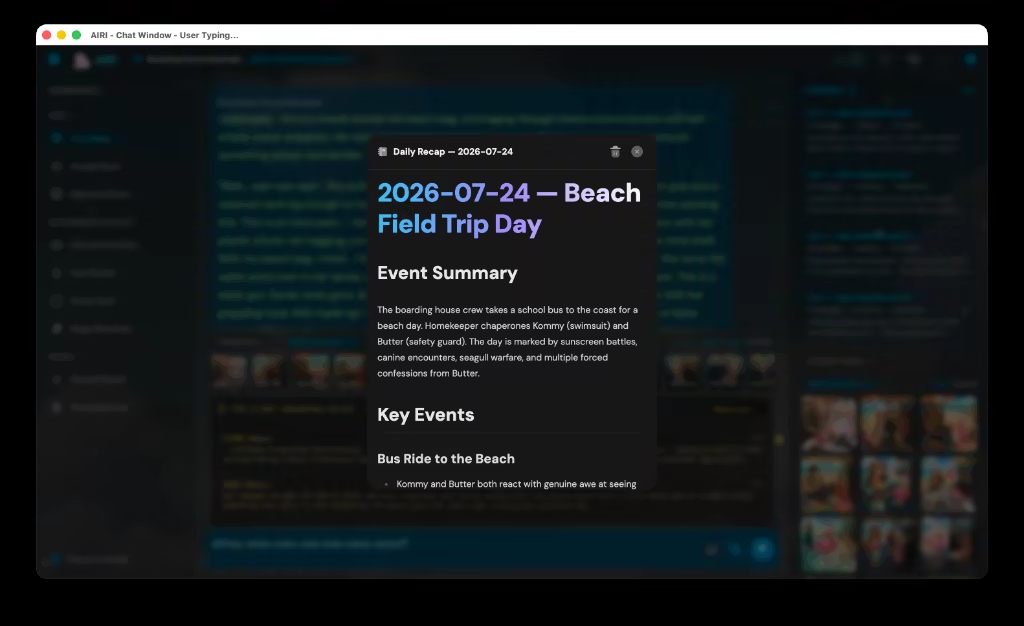
- Daily Recap Modal: Synthesizes daily conversations into high-level recaps and action items for seamless continuity across days.
Key Capabilities
- 3-Column Architecture: Session navigation, active transcript, and context grounding on one screen.
- Pre-Flight Grounding Panel: Real-time inspection of system prompt components and token budgets.
- Sentence-Sync Audio Highlighting: Live karaoke-style text highlighting matching TTS speech playback.
- Memory Context Inspection: Visual audit of STMM, LTMM, and Echo Chip prompt injections.
- Arcade Backseat Mode: Optimized layout and behavior for gaming commentary and live streams.
- Append-Only Event Ledger: Complete observability over background triggers and model transactions.